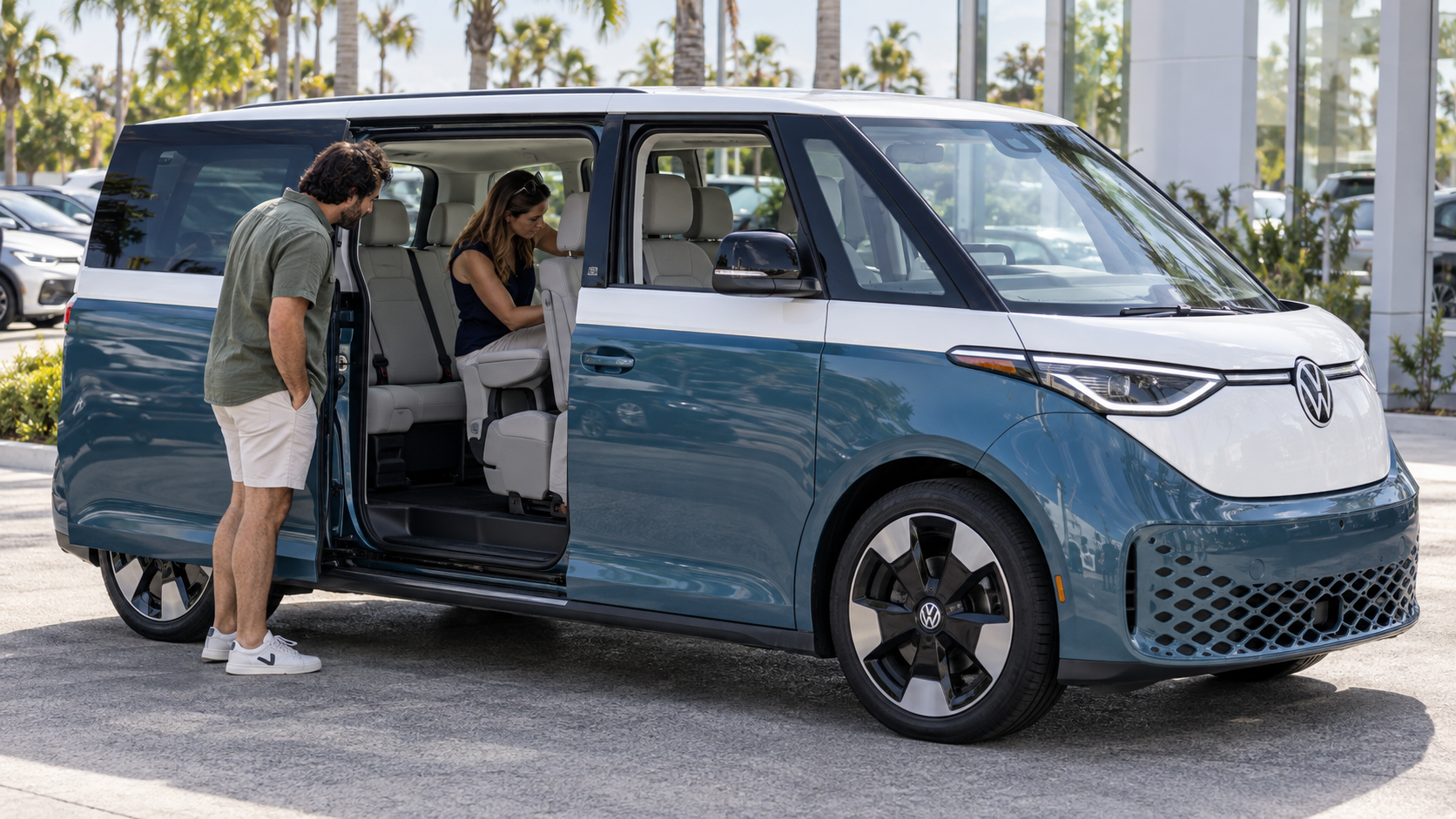
Volkswagen ID. Buzz Trim Levels Across 2025 and 2027 Volkswagen ID. Buzz trim levels now span two U.S. model years with a gap between them. There is no 2026 U.S. ID. Buzz model. Volkswagen paused the nameplate after 2025 and confirmed its return for 2027. Therefore, shoppers may see remaining 2025 inventory while also researching the announced 2027 lineup. Therefore, model year context comes first when reviewing equipment. Additionally, the 2025 lineup includes Pro S, Pro S Plus, Pro S Plus with 4MOTION, and two 1st Edition versions. By contrast, 2027 brings Pro S RWD, Pro S 4Motion, Tourer 4Motion, and Pro S Plus 4Motion. However, Volkswagen has not announced pricing for the 2027 lineup. Which lineup should you review first? If you plan to buy soon, start by checking current stock. Additionally, compare upcoming 2027 trims if your buying timeline extends further. You can also check Tom Bush Volkswagen inventory for current ID. Buzz listings. Compare the 2025 Volkswagen ID. Buzz Lineup The 2025 Volkswagen ID. Buzz trim levels begin with Pro S and move through several higher trims. Additionally, Pro S uses rear wheel drive and a second row bench seat. Volkswagen lists seven person seating for this trim. Additionally, Pro S Plus adds more cabin and parking tech while retaining rear wheel drive. The 2025 lineup includes several configurations that change seating, drivetrain, and cabin equipment. Pro S uses rear wheel drive with a second row bench and seven person seating. Pro S Plus adds more cabin, parking, audio, access, and towing equipment. Pro S Plus with 4MOTION adds all wheel drive and pairs it with captain's chairs. The 1st Edition models add launch specific styling and equipment for the 2025 model year. What separates Pro S Plus from Pro S? Pro S Plus adds cabin, parking, audio, access, and towing equipment. Moreover, the trim change goes beyond the badge. Volkswagen lists a head up display, Area View, Harman Kardon audio, and a retractable tow hitch on Pro S Plus. In addition, hands free sliding door access joins the equipment list. The 1st Edition was limited to the 2025 model year. Volkswagen currently describes the 2025 First Edition with second row captain's chairs and six total seats. Therefore, the existing Tom Bush review should remove its current five person entry for the rear wheel drive 1st Edition. Seating and 4MOTION Shape the Cabin Layout Seating is one of the clearest ways to narrow Volkswagen ID. Buzz trim levels. Do you need six seats or seven? Both layouts appear within the 2025 lineup. A bench creates room for three people in the second row. By contrast, captain's chairs reduce that row to two seats and create a more open path through the cabin. For 2025, Pro S uses a second row bench and seats seven. Additionally, Volkswagen states that Pro S Plus and First Edition models use second row captain's chairs for six total people. However, earlier launch material described some rear wheel drive versions with a bench option. For this reason, shoppers should verify the exact seat layout on the specific vehicle they are considering. A few questions can narrow the configuration quickly before you start comparing smaller equipment differences. Choose a seven seat setup when maximum passenger space is the priority. Consider captain's chairs when easier third row access and separate second row seats matter more. Review 4MOTION configurations when all wheel drive is part of your vehicle search. Moreover, 4MOTION adds another filter to the decision. The 2025 Pro S Plus with 4MOTION and 1st Edition with 4MOTION use all wheel drive. In addition, those versions pair with second row captain's chairs. Therefore, drivers who want all wheel drive should expect a six seat layout in the verified 2025 trim. This pairing matters when you regularly carry more people. A seven seat bench may suit larger groups. By contrast, captain's chairs offer separate second row seating and easier movement toward the third row. Technology and Cabin Equipment by Trim Volkswagen ID. Buzz trim levels also separate themselves through cabin equipment. Pro S covers the core electric van layout, three row seating, and Volkswagen connectivity features. Additionally, Pro S Plus adds several items that change daily use with the ID. Buzz. What does Pro S Plus add over Pro S? It adds several cabin, parking, audio, access, and towing items. Volkswagen lists a head up display, Area View, and Harman Kardon audio. In addition, Volkswagen lists a retractable tow hitch and hands free access for the sliding doors and rear liftgate. The added equipment on Pro S Plus supports several distinct parts of the drive. The head up display places selected driving information closer to the driver's forward view. Area View uses exterior cameras to provide a surrounding view during low speed parking. Harman Kardon audio adds a 13 speaker setup with a subwoofer and amplifier. Hands free access adds another way to open the sliding doors and rear liftgate. Therefore, shoppers can review trims without relying on a long equipment list. Instead, start with seating and drivetrain. Then review the cabin tech you want to use most. In addition, confirm every listed item on the exact ID. Buzz before purchase, since equipment can vary by trim. What Changes With the 2027 Volkswagen ID. Buzz Lineup The 2027 Volkswagen ID. Buzz trim levels introduce a simpler four trim structure. Volkswagen has announced Pro S RWD, Pro S 4Motion, Tourer 4Motion, and Pro S Plus 4Motion. Consequently, all wheel drive reaches more of the 2027 lineup than it did in 2025. What is new about the Tourer 4Motion? The Tourer adds an overnight travel package to the ID. Buzz lineup. Reported items include a fold out mattress, window blinds, ventilation panels, outdoor chairs, and a table. Furthermore, the Tourer includes captain's chairs, a retractable tow hitch, a smart dimming roof, and 20 inch wheels. Additionally, 2027 updates include revised Travel Assist functions and updated infotainment software. A NACS adapter is also part of the announced package for easier access to compatible Tesla Supercharger locations. However, Volkswagen has not announced 2027 pricing yet. Therefore, final EPA range figures should wait for complete U.S. specs from Volkswagen. Therefore, 2027 research should focus on confirmed trim structure and announced equipment for now. Pricing and final spec details can be added to this page after Volkswagen publishes them. Match Your ID. Buzz Configuration to Current Inventory The right Volkswagen ID. Buzz trim starts with the way you plan to use the cabin. Therefore, seating is a useful first filter. Additionally, drivetrain is the next one. Beyond that, cabin tech can separate closely related trims. For this reason, seven seat shoppers should review verified bench seat trims first. By contrast, shoppers who prefer captain's chairs should focus on six seat versions. Additionally, all wheel drive shoppers should review 4MOTION models and confirm the seat layout for each one. If overnight travel interests you, the announced 2027 Tourer deserves closer review. Tom Bush Volkswagen offers a direct way to review these details against current ID. Buzz inventory in Jacksonville. However, any 2025 listings may differ by color, drivetrain, seating, and installed equipment. Therefore, reviewing the exact listing is the final step before choosing a trim. Even so, the ID. Buzz choice can stay straightforward. With that in mind, start with seating, then drivetrain, then the cabin equipment that matters for your plans. From there, review available inventory or continue watching for verified 2027 specs as Volkswagen releases them.