Blog / Tom Bush Volkswagen

Genuine Volkswagen Accessories: Customize Your Vehicle

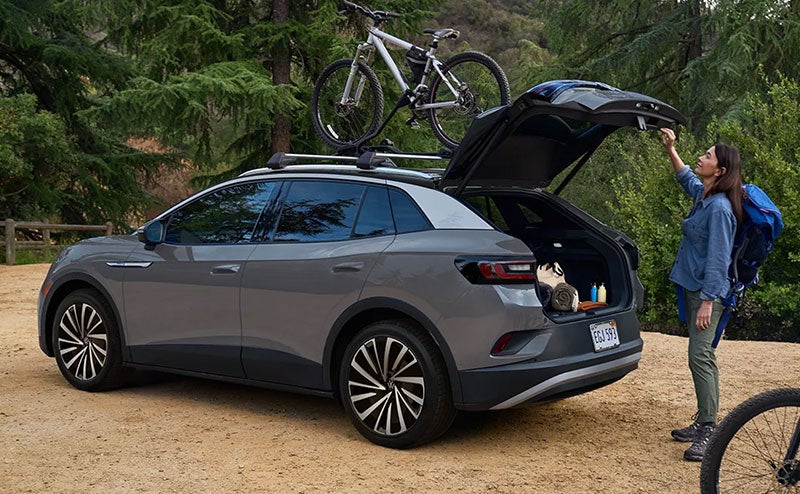
A Volkswagen SUV with a Genuine Volkswagen Accessories bike rack installed

Get the absolute most enjoyment from your vehicle with genuine Volkswagen accessories. Explore the various ways to customize your VW to add style, function, and capability.

Personalize Your Ride With Genuine Volkswagen Accessories

Cargo Accessories

The Thule hitch cargo box adds 14 cubic feet of cargo space to the ID.Buzz. You can also add a Thule rack for your surfboard, stand-up paddleboard, skis, snowboard, or up to four bikes.

Keep your VW organized with available cargo nets, dividers, and baskets. You can upgrade towing-rated models like the Atlas with a trailer hitch and ball mount. Accentuate your campsite with the Thule OutLand side awning, which adds a patch of shade to the side of your ID.Buzz.

Protective Gear

You can show off the look of your ID.Buzz while shielding your paint with a protective two-tone cover. Stormproof car covers are available for models like the Atlas Cross Sport. Many vehicles offer logo door sill protection trim. A MuddyBuddy trunk liner molded to your model's cargo area helps keep the carpeting clean.

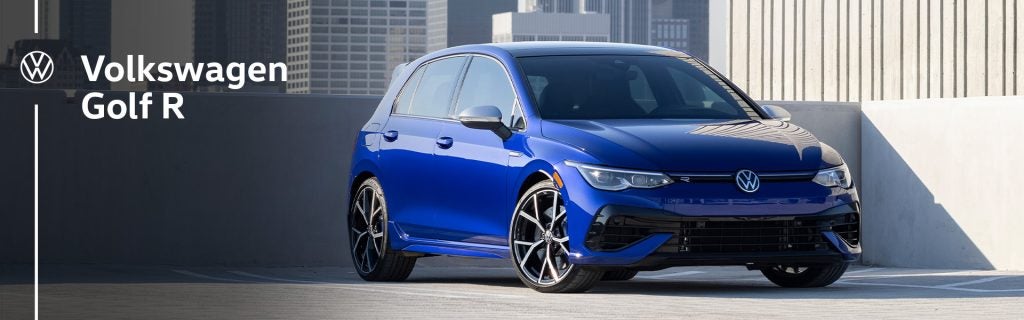
You can add a durable Bumperdillo protection plate to the front and rear of cars like the Golf R to ward off dents and dings. A sunshield for the windshield keeps the interior cool and prevents upholstery and carpet fading.

Appearance and Style

Express your personality with Wrapmate DIY decals. You can decorate your VW with peace signs, flowers, waves, and palm trees. Available logo puddle lights project a clear VW emblem when you open the front doors of your vehicle.

An available Basecamp body kit for the Atlas or Atlas Cross Sport adds front fender badges, side door skid plates, fender flares with integrated splash guards, and a front and rear valance. Swap out the wheels of any VW model for an all-new look.

Charging and Utility

If you have an electric VW, consider a 2-in-1 mobile EV charging cable. It can connect to both standard household-style 120-volt outlets and fast-charging 240-volt outlets. Aluminum side steps make it easier to get into larger models like the Atlas. You can keep your valuables secure with an available locking console safe, and a universal tablet holder can entertain your rear-seat passengers.

Tech Upgrades

You can enhance the Tiguan and other VW models with an auto-dimming digital rearview mirror that incorporates a HomeLink universal garage door opener. With the available extended-range remote start kit, you can start your vehicle and engage the climate control system from up to a quarter-mile away. Update your VW's infotainment software with an optional voice command system.

These are just a few of the many ways to make your next Volkswagen your own. Visit Tom Bush Volkswagen in Jacksonville, FL today to test drive your favorite model in the 2025 lineup.

Posted in:

Related Posts

2025 Volkswagen Golf-R

A First Look at the 2025 Volkswagen Golf R: Ultimate Performance Hatchback

For five decades, the Golf has been at the forefront of the motoring world, and this achievement is set to continue with the 2025 Volkswagen Golf R thanks to its perfect blend of style, performance, and practicality. We introduce you to the ultimate performance hatchback. Basics About the 2025 Volkswagen Golf R VW celebrates 50 years of the Golf by bringing us the most powerful model ever produced. The 2025 Golf R is fitted with a re-tuned 2.0-liter turbo engine that produces 328 horsepower, exceeding the 2024 model's output by 13 ponies. Although a manual transmission is no longer an option, the seven-speed DSG dual-clutch automatic that comes as standard is excellent, delivering smooth, responsive shifting with every gear change. more New Features Refreshed Design For 2025, the Golf R retains the sporty body that drivers love but introduces small changes to give it a modern edge. The new front fascia boasts a redesigned bumper, an illuminated VW badge, refreshed headlights, and a new light bar. VW also upgrades the 19-inch wheels to enhance handling and performance, constructing them from a lighter forged alloy, which makes all four wheels 20% lighter than before. Elevated Luxury A makeover sees the Golf R's interior become more comfortable and luxurious than ever before. The cabin is beautifully lined in Nappa leather, and a sleek sunroof lets in plenty of natural light and fresh air when opened. Drivers can configure the cockpit to their liking with their heated and ventilated 12-way power-adjustable seat. Rear passengers can also call up instant warmth with their heated seats. VW has also upgraded the infotainment system for 2025, introducing a 12.9-inch freestanding touchscreen with satellite radio, integrated navigation, and Wi-Fi hotspot capability. App-Connect allows you to wirelessly connect your smart device to access your favorite apps and stream your personal playlist through the premium Harman Kardon sound system. Black Edition Trim New for 2025 is the Black Edition, a sportier and more athletic-looking Golf R with gloss black wheels, black brake calipers, black badging, and black quad exhaust tips. Drivers can also imprint their own personality onto the Black Edition by adorning the body in one of three bold colors: Lapiz Blue Metallic, Pure White, or Mythos Black Metallic. IQ.DRIVE Whether you opt for the Golf R or the Black Edition, you'll have VW's IQ.DRIVE suite of assistive technologies to enhance every drive. In addition to retaining blind-spot monitoring, rear-traffic alert, travel assist, and all the other standard features of the 2024 package, IQ.DRIVE now provides parking assistance with its Park Assist Plus feature. With its enhanced power, revamped design, and refreshed interior, the new Golf R is set to retain its place in the hearts of drivers everywhere. Stop by Tom Bush Volkswagen in Jacksonville, FL, today and check out the ultimate performance hatchback for yourself.

Volkswagen Apple CarPlay Android Auto

Volkswagen Apple CarPlay and Android Auto Setup Guide

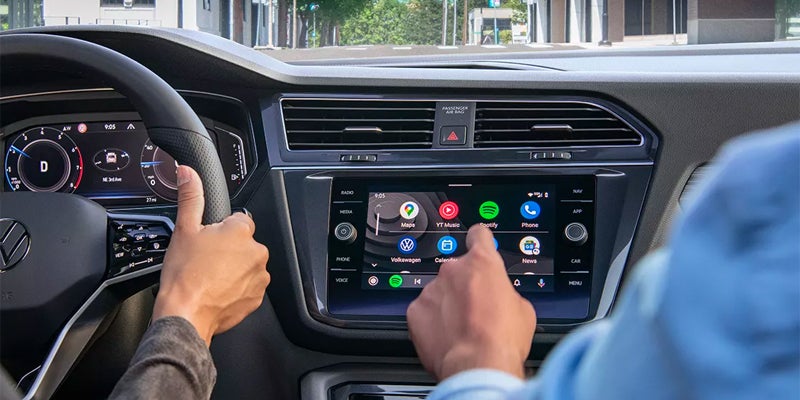
Volkswagen Apple CarPlay and Android Auto connect compatible phone tools through the vehicle’s App Connect interface. The connection may use a USB data cable or wireless pairing. However, the available method varies by model year, trim, radio, and installed equipment. App Connect places selected phone apps on the center screen. Therefore, you can reach maps, music, calls, messages, and voice commands through familiar menus. The phone still runs those apps and supplies their data. The Volkswagen screen provides a safer control point while you drive. Before setup, confirm that your phone and exact Volkswagen support the desired connection. Also, install current phone software and review the owner guide for your model year. These steps reduce pairing errors caused by outdated instructions or unsupported equipment. How Do You Connect Apple CarPlay or Android Auto? A wired connection starts with a compatible USB data cable. A cable may charge a phone without carrying the data needed for App Connect. Therefore, use a trusted cable and the USB port assigned to smartphone projection. For wired Apple CarPlay, start the Volkswagen and unlock the iPhone. Then, connect the phone through the supported USB port. Approve the CarPlay prompts on the phone and center screen. Siri must also remain active for full voice control. For wired Android Auto, unlock the phone and connect it through the supported USB port. Next, approve the Android Auto prompts and requested permissions. The App Connect menu should open after the phone and Volkswagen complete their connection. A wireless connection begins through Bluetooth pairing. Wi Fi must also remain active because it carries the larger wireless data connection. Therefore, a phone may handle Bluetooth calls without opening Apple CarPlay or Android Auto. Use these checks during first time wireless setup: more Turn on Bluetooth and Wi Fi before opening the Volkswagen phone menu. Pair the phone through the center screen and approve matching codes on both devices. Select Apple CarPlay or Android Auto when the Volkswagen presents that choice. Accept the requested permissions for contacts, audio, messages, and future connections. Leave Wi Fi active after pairing so App Connect can maintain its data link. Saved phones may reconnect after later startups. However, another stored phone may connect first when several devices enter the Volkswagen together. Why Is Volkswagen App Connect Not Working? Connection trouble may begin with the phone, cable, USB port, saved pairing, or center screen. Therefore, work through one area at a time. Changing several items together can hide the original cause. First, confirm that the exact Volkswagen supports the selected wired or wireless method. A USB port does not always support smartphone data. Likewise, wireless access on one trim does not prove that another trim includes it. Next, inspect the cable and phone port. Replace damaged cables and remove lint from the phone connection carefully. Then, try another approved data cable. Charging without App Connect can point toward the cable, port, permissions, or vehicle compatibility. For wireless trouble, check Bluetooth and Wi Fi on the phone. Also, confirm that the phone permits CarPlay or Android Auto access. Apple users should verify Siri access. Android users should confirm Android Auto access within phone settings. These steps can restore a failed connection: Restart the phone and turn the Volkswagen off before starting another pairing attempt. Remove the Volkswagen from the phone’s saved vehicle list. Delete the phone from the Volkswagen Bluetooth and App Connect menus. Pair both devices again and approve every requested connection prompt. Test a wired connection when wireless pairing still fails. Persistent disconnections may also follow phone software or infotainment software changes. Therefore, note when the trouble began and whether another compatible phone connects. That comparison can show whether the concern follows one phone or remains with the Volkswagen. App Connect, Car Net, and Digital Cockpit Differences App Connect, Car Net, and Digital Cockpit handle separate tasks. Their names may appear near each other, yet one does not replace another. App Connect displays supported phone apps through Apple CarPlay or Android Auto. It focuses on navigation, audio, communication, and approved phone content. Therefore, it needs a compatible phone connection. Car Net works through eligible connected services and the myVW app. Available tools may include remote commands, vehicle alerts, and safety support. Service access varies by vehicle, equipment, account, and active plan. Digital Cockpit presents information in the display behind the steering wheel. It may show speed, driving data, navigation details, and other vehicle information. Its menus and display choices vary across Volkswagen models. A phone can use Apple CarPlay without making every Car Net tool active. Likewise, Digital Cockpit does not display every phone app. Each technology has its own role within the Volkswagen cabin. When a connection question involves one of these tools, identify the exact screen and task first. That detail leads to the right owner guide and avoids resetting an unrelated connection. What Should You Review During a Volkswagen Test Drive? A technology focused test drive should use the phone you carry each day. Bring a trusted data cable even when you want wireless access. This gives you another connection method during the visit. Pair the phone before leaving the dealership lot. Then, open maps, play audio, place a voice command, and check message access. In addition, test the charging location and confirm which USB ports carry smartphone data. Review these items in the exact Volkswagen: Confirm whether Apple CarPlay or Android Auto connects through a cable, wireless pairing, or both. Check whether the screen responds clearly while maps and audio run together. Test steering wheel controls and voice commands with your phone. Review the Digital Cockpit alongside the center screen during navigation. Confirm that your phone fits the charging area without blocking nearby controls. Ask which App Connect equipment belongs to that exact trim and model year. Do not rely on a similar vehicle or a broad model description. Installed technology can change across trims, production dates, and model years. Therefore, test the exact Volkswagen you may choose. Volkswagen Inventory and Connection Help in Jacksonville Readers researching a new Volkswagen can compare available models through Tom Bush Volkswagen in Jacksonville. The inventory route should lead to current vehicles instead of one temporary listing. Therefore, readers can review trim details and confirm App Connect equipment before a test drive. Owners with connection trouble need a separate path. Basic cable, pairing, and restart checks may resolve a simple issue. However, repeated faults may need a closer review of the phone, USB port, center screen, or Volkswagen software. Bring the phone and cable when requesting connection help. Also, note the phone model, software version, connection method, and exact error message. Those details give the service team a clearer starting point. Volkswagen Apple CarPlay and Android Auto work best when the phone, cable, permissions, and installed equipment match. Start with the correct connection method. Then, test each layer in order before seeking further help.

Volkswagen Warranty Check Before Scheduling Service

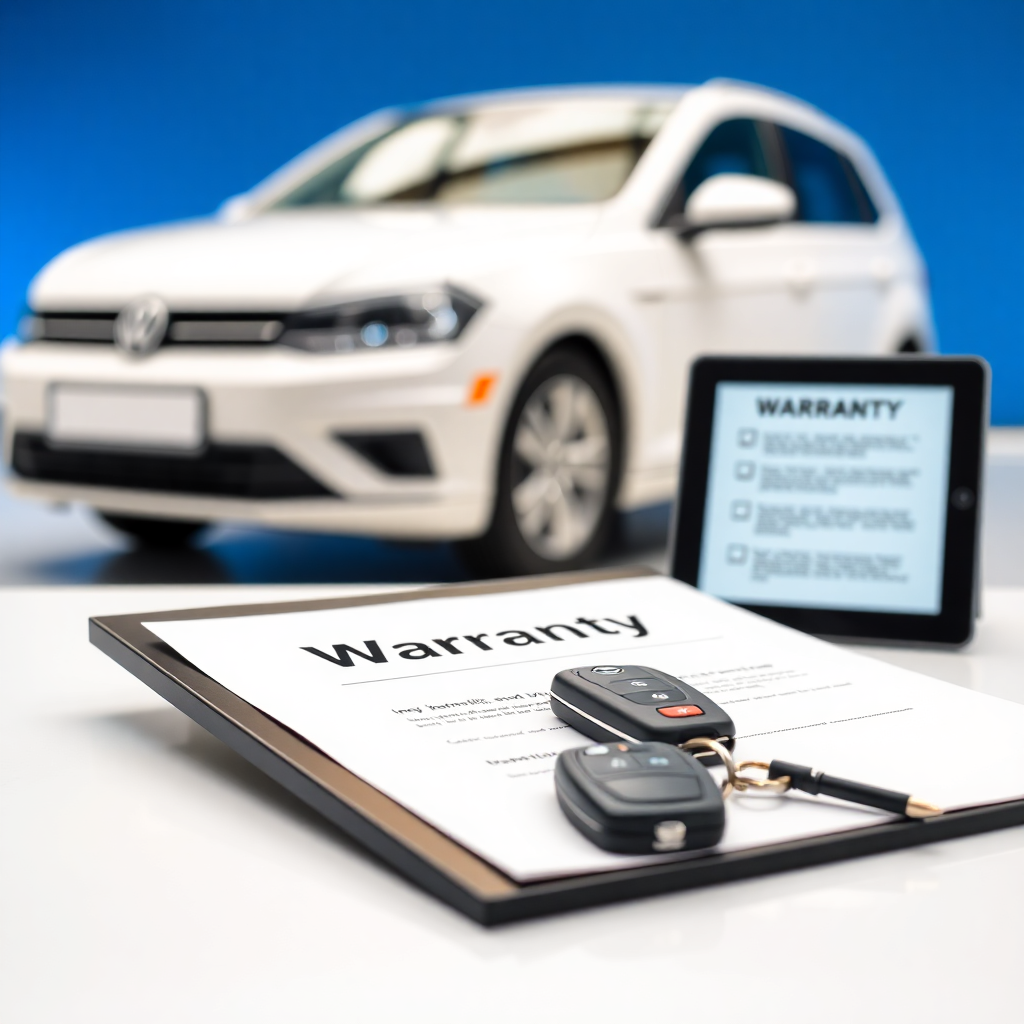
A Volkswagen warranty check starts with the VIN, current mileage, ownership records, and warranty documents tied to the vehicle. The review shows which protection may still apply before service begins. However, an active term does not guarantee payment for every repair. Diagnosis may still be required before final approval. Volkswagen warranty terms can vary by model year, sale date, mileage, and coverage type. Therefore, owners should prepare the right records before contacting a service department. Clear documentation can shorten the review and reduce confusion about customer paid work. How Do You Check Volkswagen Warranty Coverage? Start by locating the 17 character VIN for the exact Volkswagen. The VIN appears near the lower driver side windshield and on several ownership documents. It may also appear inside the driver door area. Next, record the current odometer mileage. Warranty limits may use both time and mileage, so both details matter. In addition, locate the original purchase date or in service date when available. Then, review the warranty booklet tied to the model year. Volkswagen provides separate literature for different vehicles and protection types. Therefore, a newer booklet should not replace the terms written for an older model. more A service department may use the VIN to review available vehicle records. Still, the VIN alone cannot prove that a repair qualifies. The failed part, cause, mileage, prior care, and diagnostic findings may also shape the review. Information to Gather Before Contacting Service Owners should collect several records before discussing warranty work. These items give the service team a clearer picture of the vehicle and the concern. Prepare the following information: Record the complete VIN exactly as it appears on the vehicle or registration. Note the current mileage and the date when the concern first appeared. Bring purchase papers, CPO documents, or any added protection contract. Gather service invoices related to the part or concern under review. Write down warning lights, sounds, leaks, or other clear symptoms. List recent repairs, modifications, collision work, or outside service. The concern description should remain specific. State when it began, when it appears, and whether it has changed. For instance, note whether a warning light stays on or appears only after startup. Service records may also matter. Missing required care can complicate a claim when that care relates to the failed part. Therefore, complete invoices provide stronger documentation than verbal history alone. Factory, CPO, and Added Protection Differences Are factory, CPO, and added protection plans the same? No. Each follows its own dates, limits, covered items, and exclusions. The New Vehicle Limited Warranty follows the terms issued with the Volkswagen when first sold. Time and mileage limits vary by model year. Therefore, owners should use the booklet written for their exact vehicle. Volkswagen Certified Pre Owned coverage follows separate CPO terms. Its start date may relate to remaining factory coverage or the certified sale date. Owners should bring their CPO papers and confirm the recorded certification details. Optional protection contracts also follow separate rules. These plans may carry different deductibles, claim steps, repair locations, and exclusions. In addition, the contract provider may need approval before repairs begin. Battery warranties, parts warranties, and corrosion terms may also follow their own limits. Therefore, owners should route each question to the correct document instead of using one broad warranty summary. What Should You Confirm Before Service Begins? A warranty status review and a repair approval are separate steps. First, the service team reviews the vehicle and available records. Then, diagnosis may be needed to identify the failed part and failure cause. Before work begins, ask these questions: Has the vehicle warranty status been reviewed with the VIN and mileage? Is the diagnostic charge covered, customer paid, or still under review? Which repair items appear eligible under the applicable terms? Which parts, labor, fluids, or wear items fall outside the review? Does a deductible apply to the covered repair? What customer paid amount requires approval before work starts? Owners should also ask for written estimates when repairs include covered and uncovered items. This step separates warranty work from customer paid work. As a result, the owner can approve each portion with clearer cost information. Modifications, outside repairs, prior damage, or missed service may require further review. However, their presence does not create one automatic answer for every claim. The service department must review the specific repair and available evidence. Finding the Correct Volkswagen Warranty Resource The general warranty guide should direct narrower questions to the right source. It should not repeat every term from every Volkswagen document. Use the CPO resource for certification coverage, start dates, and related ownership papers. Use the added protection resource for contract terms, deductibles, and claim steps. In addition, use the battery resource for battery specific time, mileage, and capacity terms. Recall questions belong in the official VIN lookup. A recall or service campaign is separate from an ordinary warranty claim. Therefore, warranty expiration alone does not answer whether an open campaign applies. Parts coverage may also require the original repair invoice. The invoice can identify the part, installation date, repair location, and prior work. Owners should bring that record when asking about a replacement part. These separate paths keep the broad guide clear. They also direct each owner toward the document that controls the question. Contacting Tom Bush Volkswagen for Coverage Review Tom Bush Volkswagen service can review available vehicle details before an appointment in Jacksonville. Owners should have the VIN, mileage, records, and concern description ready when they call. The service team may review warranty information and explain the next step. However, final repair eligibility may require inspection, diagnosis, and manufacturer authorization. No dealership can promise payment before those steps are complete. Owners should also request approval before any uncovered work begins. A written estimate can separate eligible repairs from customer paid repairs. Therefore, the owner can decide how to proceed with clearer information. A Volkswagen warranty check works best when the records match the exact vehicle. Bring the VIN, mileage, ownership papers, and service history. Then, confirm diagnosis terms and repair approval before authorizing work.