Blog / Florida Weddings

3 Popular Wedding Locations in Driving Distance of Jacksonville, FL

3 Popular

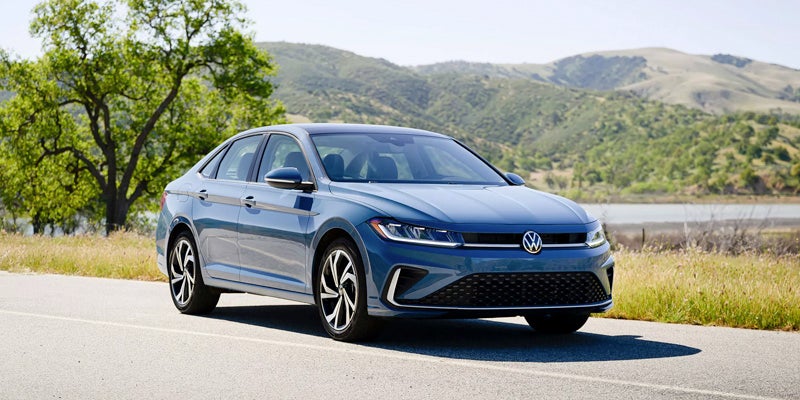
Drive around comfortably in a spacious Volkswagen Taos or Tiguan to find the best wedding locations in and around Jacksonville, FL to host your dream wedding. Visit the exclusive Club Continental that offers Old World Florida charm, the historic Ribault Club on Fort George Island, and the Mediterranean-style Casa Marina Hotel, the epitome of the stylish elegance of the 1920s.

3 Popular Wedding Locations in Driving Distance of Jacksonville, FL

1. Club Continental

The expansive Mediterranean mansion on the lush Club Continental estate at 2143 Astor Street in Orange Park has a romantic Old World Florida charm where couples can exchange vows in front of elegant Spanish-style arches on vibrant tile floors. The palatial estate voted one of the region's most romantic settings by local photographers, offers a variety of elegant indoor and outdoor spaces.

Couples can confirm their commitment to each under the heavy branches of a 300-year-old oak tree draped with Spanish moss on the banks of the St. Johns River or in the impressive banquet hall. After the ceremony, the wedding party can wine and dine al fresco on the patio overlooking the magnificent manicured gardens. The club's event and culinary teams specialize in Continental-style cuisine and are devoted to turning your wedding dreams into reality.

2. The Ribault Club

The historic and elegant Ribault Club wedding venue at 11241 Fort George Road on Fort George Island in Jacksonville is a breathtaking 100-acre waterfront park with an exquisite mansion built in 1928. The unpretentious yet stylish and exclusive venue has many waterfront spaces on the lush green lawns along the Fort George River.

The mansion is an architectural masterpiece with neoclassical elements, sweeping arches, and 36 awe-inspiring French doors that provide picturesque views over Talbot Island. The Ribault Club can accommodate 350 wedding guests and provide an event team who works with only the best caterers, florists, entertainers, and photographers in the area.

3. Casa Marina Hotel

The iconic Mediterranean-style Casa Marina Hotel at 691 1 Street N. in Jacksonville Beach is a historic landmark dating back to 1925 and a perfect example of the glamour and style of the era. The hotel's Spanish-style white stucco façade and European ambiance provide a romantic backdrop for ceremonies on the beachfront terrace.

You can exchange vows on the covered pavilion, the spacious patio surrounded by palm trees, on the rooftop patio with spectacular views over the Atlantic Ocean, or in the banquet hall filled with antique accents and elaborate chandeliers. The hotel offers comprehensive wedding packages, an experienced staff, and gourmet cuisine. Wedding guests can overnight in luxurious rooms that reflect different eras in the hotel's history.

These magnificent wedding venues provide unforgettable backdrops for your big day and unparalleled service from dedicated teams of professionals. While searching for the perfect wedding venue, visit Tom Bush Volkswagen today to find the ideal vehicle to take you and your loved one on an unforgettable honeymoon.

Posted in:

Related Posts

Volkswagen Apple CarPlay Android Auto

Volkswagen Apple CarPlay and Android Auto Setup Guide

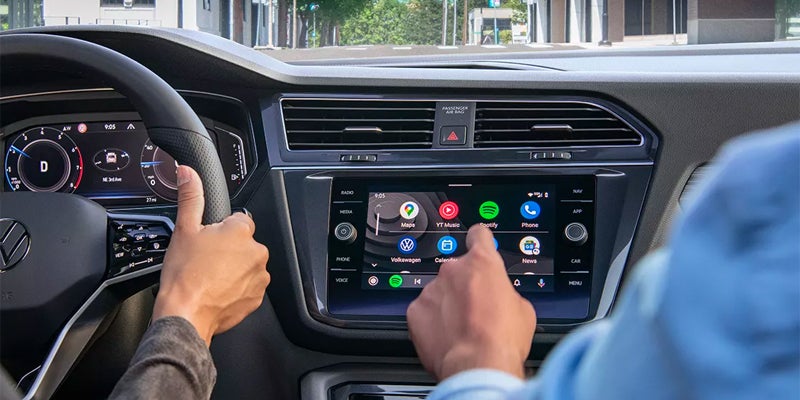
Volkswagen Apple CarPlay and Android Auto connect compatible phone tools through the vehicle’s App Connect interface. The connection may use a USB data cable or wireless pairing. However, the available method varies by model year, trim, radio, and installed equipment. App Connect places selected phone apps on the center screen. Therefore, you can reach maps, music, calls, messages, and voice commands through familiar menus. The phone still runs those apps and supplies their data. The Volkswagen screen provides a safer control point while you drive. Before setup, confirm that your phone and exact Volkswagen support the desired connection. Also, install current phone software and review the owner guide for your model year. These steps reduce pairing errors caused by outdated instructions or unsupported equipment. How Do You Connect Apple CarPlay or Android Auto? A wired connection starts with a compatible USB data cable. A cable may charge a phone without carrying the data needed for App Connect. Therefore, use a trusted cable and the USB port assigned to smartphone projection. For wired Apple CarPlay, start the Volkswagen and unlock the iPhone. Then, connect the phone through the supported USB port. Approve the CarPlay prompts on the phone and center screen. Siri must also remain active for full voice control. For wired Android Auto, unlock the phone and connect it through the supported USB port. Next, approve the Android Auto prompts and requested permissions. The App Connect menu should open after the phone and Volkswagen complete their connection. A wireless connection begins through Bluetooth pairing. Wi Fi must also remain active because it carries the larger wireless data connection. Therefore, a phone may handle Bluetooth calls without opening Apple CarPlay or Android Auto. Use these checks during first time wireless setup: more Turn on Bluetooth and Wi Fi before opening the Volkswagen phone menu. Pair the phone through the center screen and approve matching codes on both devices. Select Apple CarPlay or Android Auto when the Volkswagen presents that choice. Accept the requested permissions for contacts, audio, messages, and future connections. Leave Wi Fi active after pairing so App Connect can maintain its data link. Saved phones may reconnect after later startups. However, another stored phone may connect first when several devices enter the Volkswagen together. Why Is Volkswagen App Connect Not Working? Connection trouble may begin with the phone, cable, USB port, saved pairing, or center screen. Therefore, work through one area at a time. Changing several items together can hide the original cause. First, confirm that the exact Volkswagen supports the selected wired or wireless method. A USB port does not always support smartphone data. Likewise, wireless access on one trim does not prove that another trim includes it. Next, inspect the cable and phone port. Replace damaged cables and remove lint from the phone connection carefully. Then, try another approved data cable. Charging without App Connect can point toward the cable, port, permissions, or vehicle compatibility. For wireless trouble, check Bluetooth and Wi Fi on the phone. Also, confirm that the phone permits CarPlay or Android Auto access. Apple users should verify Siri access. Android users should confirm Android Auto access within phone settings. These steps can restore a failed connection: Restart the phone and turn the Volkswagen off before starting another pairing attempt. Remove the Volkswagen from the phone’s saved vehicle list. Delete the phone from the Volkswagen Bluetooth and App Connect menus. Pair both devices again and approve every requested connection prompt. Test a wired connection when wireless pairing still fails. Persistent disconnections may also follow phone software or infotainment software changes. Therefore, note when the trouble began and whether another compatible phone connects. That comparison can show whether the concern follows one phone or remains with the Volkswagen. App Connect, Car Net, and Digital Cockpit Differences App Connect, Car Net, and Digital Cockpit handle separate tasks. Their names may appear near each other, yet one does not replace another. App Connect displays supported phone apps through Apple CarPlay or Android Auto. It focuses on navigation, audio, communication, and approved phone content. Therefore, it needs a compatible phone connection. Car Net works through eligible connected services and the myVW app. Available tools may include remote commands, vehicle alerts, and safety support. Service access varies by vehicle, equipment, account, and active plan. Digital Cockpit presents information in the display behind the steering wheel. It may show speed, driving data, navigation details, and other vehicle information. Its menus and display choices vary across Volkswagen models. A phone can use Apple CarPlay without making every Car Net tool active. Likewise, Digital Cockpit does not display every phone app. Each technology has its own role within the Volkswagen cabin. When a connection question involves one of these tools, identify the exact screen and task first. That detail leads to the right owner guide and avoids resetting an unrelated connection. What Should You Review During a Volkswagen Test Drive? A technology focused test drive should use the phone you carry each day. Bring a trusted data cable even when you want wireless access. This gives you another connection method during the visit. Pair the phone before leaving the dealership lot. Then, open maps, play audio, place a voice command, and check message access. In addition, test the charging location and confirm which USB ports carry smartphone data. Review these items in the exact Volkswagen: Confirm whether Apple CarPlay or Android Auto connects through a cable, wireless pairing, or both. Check whether the screen responds clearly while maps and audio run together. Test steering wheel controls and voice commands with your phone. Review the Digital Cockpit alongside the center screen during navigation. Confirm that your phone fits the charging area without blocking nearby controls. Ask which App Connect equipment belongs to that exact trim and model year. Do not rely on a similar vehicle or a broad model description. Installed technology can change across trims, production dates, and model years. Therefore, test the exact Volkswagen you may choose. Volkswagen Inventory and Connection Help in Jacksonville Readers researching a new Volkswagen can compare available models through Tom Bush Volkswagen in Jacksonville. The inventory route should lead to current vehicles instead of one temporary listing. Therefore, readers can review trim details and confirm App Connect equipment before a test drive. Owners with connection trouble need a separate path. Basic cable, pairing, and restart checks may resolve a simple issue. However, repeated faults may need a closer review of the phone, USB port, center screen, or Volkswagen software. Bring the phone and cable when requesting connection help. Also, note the phone model, software version, connection method, and exact error message. Those details give the service team a clearer starting point. Volkswagen Apple CarPlay and Android Auto work best when the phone, cable, permissions, and installed equipment match. Start with the correct connection method. Then, test each layer in order before seeking further help.

Volkswagen Warranty Check Before Scheduling Service

A Volkswagen warranty check starts with the VIN, current mileage, ownership records, and warranty documents tied to the vehicle. The review shows which protection may still apply before service begins. However, an active term does not guarantee payment for every repair. Diagnosis may still be required before final approval. Volkswagen warranty terms can vary by model year, sale date, mileage, and coverage type. Therefore, owners should prepare the right records before contacting a service department. Clear documentation can shorten the review and reduce confusion about customer paid work. How Do You Check Volkswagen Warranty Coverage? Start by locating the 17 character VIN for the exact Volkswagen. The VIN appears near the lower driver side windshield and on several ownership documents. It may also appear inside the driver door area. Next, record the current odometer mileage. Warranty limits may use both time and mileage, so both details matter. In addition, locate the original purchase date or in service date when available. Then, review the warranty booklet tied to the model year. Volkswagen provides separate literature for different vehicles and protection types. Therefore, a newer booklet should not replace the terms written for an older model. more A service department may use the VIN to review available vehicle records. Still, the VIN alone cannot prove that a repair qualifies. The failed part, cause, mileage, prior care, and diagnostic findings may also shape the review. Information to Gather Before Contacting Service Owners should collect several records before discussing warranty work. These items give the service team a clearer picture of the vehicle and the concern. Prepare the following information: Record the complete VIN exactly as it appears on the vehicle or registration. Note the current mileage and the date when the concern first appeared. Bring purchase papers, CPO documents, or any added protection contract. Gather service invoices related to the part or concern under review. Write down warning lights, sounds, leaks, or other clear symptoms. List recent repairs, modifications, collision work, or outside service. The concern description should remain specific. State when it began, when it appears, and whether it has changed. For instance, note whether a warning light stays on or appears only after startup. Service records may also matter. Missing required care can complicate a claim when that care relates to the failed part. Therefore, complete invoices provide stronger documentation than verbal history alone. Factory, CPO, and Added Protection Differences Are factory, CPO, and added protection plans the same? No. Each follows its own dates, limits, covered items, and exclusions. The New Vehicle Limited Warranty follows the terms issued with the Volkswagen when first sold. Time and mileage limits vary by model year. Therefore, owners should use the booklet written for their exact vehicle. Volkswagen Certified Pre Owned coverage follows separate CPO terms. Its start date may relate to remaining factory coverage or the certified sale date. Owners should bring their CPO papers and confirm the recorded certification details. Optional protection contracts also follow separate rules. These plans may carry different deductibles, claim steps, repair locations, and exclusions. In addition, the contract provider may need approval before repairs begin. Battery warranties, parts warranties, and corrosion terms may also follow their own limits. Therefore, owners should route each question to the correct document instead of using one broad warranty summary. What Should You Confirm Before Service Begins? A warranty status review and a repair approval are separate steps. First, the service team reviews the vehicle and available records. Then, diagnosis may be needed to identify the failed part and failure cause. Before work begins, ask these questions: Has the vehicle warranty status been reviewed with the VIN and mileage? Is the diagnostic charge covered, customer paid, or still under review? Which repair items appear eligible under the applicable terms? Which parts, labor, fluids, or wear items fall outside the review? Does a deductible apply to the covered repair? What customer paid amount requires approval before work starts? Owners should also ask for written estimates when repairs include covered and uncovered items. This step separates warranty work from customer paid work. As a result, the owner can approve each portion with clearer cost information. Modifications, outside repairs, prior damage, or missed service may require further review. However, their presence does not create one automatic answer for every claim. The service department must review the specific repair and available evidence. Finding the Correct Volkswagen Warranty Resource The general warranty guide should direct narrower questions to the right source. It should not repeat every term from every Volkswagen document. Use the CPO resource for certification coverage, start dates, and related ownership papers. Use the added protection resource for contract terms, deductibles, and claim steps. In addition, use the battery resource for battery specific time, mileage, and capacity terms. Recall questions belong in the official VIN lookup. A recall or service campaign is separate from an ordinary warranty claim. Therefore, warranty expiration alone does not answer whether an open campaign applies. Parts coverage may also require the original repair invoice. The invoice can identify the part, installation date, repair location, and prior work. Owners should bring that record when asking about a replacement part. These separate paths keep the broad guide clear. They also direct each owner toward the document that controls the question. Contacting Tom Bush Volkswagen for Coverage Review Tom Bush Volkswagen service can review available vehicle details before an appointment in Jacksonville. Owners should have the VIN, mileage, records, and concern description ready when they call. The service team may review warranty information and explain the next step. However, final repair eligibility may require inspection, diagnosis, and manufacturer authorization. No dealership can promise payment before those steps are complete. Owners should also request approval before any uncovered work begins. A written estimate can separate eligible repairs from customer paid repairs. Therefore, the owner can decide how to proceed with clearer information. A Volkswagen warranty check works best when the records match the exact vehicle. Bring the VIN, mileage, ownership papers, and service history. Then, confirm diagnosis terms and repair approval before authorizing work.

Volkswagen DSG Transmission Guide for Daily Driving

A Volkswagen DSG transmission uses two clutches to manage separate gear paths within one automatic gearbox. What does that mean during a drive? The gearbox can prepare another ratio before the current shift finishes. Therefore, each gear change can happen with little interruption in engine power. DSG stands for Direct Shift Gearbox. It blends automatic control with clutch based gear changes. However, it does not work like a conventional automatic that uses a torque converter. That difference shapes how the car shifts, launches, and moves through slow traffic. Volkswagen has used several DSG designs across different years and models. For this reason, service needs must match the exact car. Therefore, the owner manual, maintenance schedule, and vehicle identification number provide the correct starting point. How Does a Volkswagen DSG Transmission Work? A DSG uses two clutches, with each clutch connected to a separate set of gears. One side handles odd numbered gears. The other side handles even numbered gears. While one gear moves the car, the gearbox prepares another gear on the second path. Then, the clutches trade their roles during the shift. As a result, the next ratio can engage quickly. Furthermore, the gearbox reads accelerator input, road speed, engine speed, and the selected drive setting. Therefore, light throttle may produce early upshifts. Firmer throttle may hold a lower gear longer. more Manual selection does not change the internal design. Instead, it gives the driver more control over shift timing. The gearbox still manages clutch action and protects the drivetrain from an unsuitable gear request. This design works well during steady acceleration. Moreover, rapid shifts can keep the engine near the desired speed range. The same clutch based layout also explains why parking lot movement may feel different. DSG Versus a Traditional Automatic Transmission Is DSG the same as a traditional automatic? No. Both can select gears without a clutch pedal, but their internal parts move power differently. Many conventional automatics use a torque converter. Fluid inside that unit transfers engine power during a launch. Therefore, the car may creep forward smoothly when the brake pedal is released. A DSG uses clutches to connect engine power to the selected gear path. Consequently, the gearbox must engage and release those clutches during low speed movement. That action may feel more direct than torque converter movement. Both designs can provide smooth travel. Still, they reach that result through different parts and control methods. A driver moving from one design to another may notice the contrast most during parking, reversing, or heavy traffic. Manual mode and steering wheel paddles also change driver input, not gearbox construction. They let the driver request a gear. However, the DSG still completes the clutch work. What Should DSG Feel Like at Low Speeds? A DSG may feel more deliberate while starting, reversing, or crawling. The clutches must engage at low speed, much like a clutch in a manual gearbox. Therefore, light hesitation or a firmer engagement may appear during certain movements. Stop and go traffic places the gearbox through repeated launch cycles. Holding the car with gentle accelerator pressure may keep a clutch partly engaged. Instead, firm brake use can give the gearbox a clearer stop. Drivers should still pay attention to changes. A mild trait that remains steady differs from a hard impact that becomes worse. Warning lights, burning odors, repeated slipping, or severe shaking deserve prompt inspection. A test drive should include a cold start, parking lot movement, several stops, and steady acceleration. In addition, the driver should try reverse and moderate highway speed. These steps provide a broader view than one quick trip. No article can diagnose a gearbox from a single sensation. Therefore, a Volkswagen technician should inspect any new, severe, or worsening concern. Volkswagen DSG Maintenance and Service Questions Does every DSG need the same service? No. Volkswagen has used more than one DSG design, and service details can vary. Some DSG units require fluid and filter work at set points. Other versions may follow a different schedule. For this reason, owners should not rely on one universal interval found online. The exact model year, engine, gearbox, and vehicle identification number matter. A service advisor can use those details to locate the correct maintenance information. In addition, prior invoices can show whether required work was completed. Fluid condition matters because the gearbox depends on proper lubrication and hydraulic control. A correct service also uses the specified fluid and procedure. Therefore, substitute fluids or incomplete work can create new concerns. Used vehicle shoppers should ask for transmission records before purchase. They should also review warning light history, prior repairs, and any open recalls. Moreover, a pre purchase inspection can reveal leaks, stored faults, or unusual clutch operation. Current owners can use the Volkswagen maintenance schedule for their exact year. They can also review service reminders and schedule a visit when work is due. DSG Use in the Golf GTI and Jetta GLI The Golf GTI and Jetta GLI connect DSG operation with quick gear changes and direct response. However, shoppers should still judge the gearbox during ordinary travel. A GTI test drive should include slow traffic, a parking maneuver, steady acceleration, and a highway merge. These situations show how the gearbox responds across several speeds. In addition, manual mode can show how quickly it follows a gear request. A GLI review should follow the same pattern. The sedan should move cleanly from a stop and shift without warning lights or severe jolts. Service records should also match the exact model year and gearbox. Tom Bush Volkswagen shoppers can compare available GTI and GLI models before a test drive. Therefore, they can review trim, mileage, records, and transmission details together. Current owners with shifting concerns need a different route. They can contact Tom Bush Volkswagen service in Jacksonville for maintenance questions or an inspection. A technician can review fault codes, fluid history, clutch operation, and road test findings. A Volkswagen DSG transmission rewards informed review. Learn how it shifts, notice how it feels, and confirm the correct service plan. Those steps support a clearer vehicle choice and better maintenance decisions.