Blog / Jacksonville Volkswagen Dealer

GTI Performance Parts: OEM vs Aftermarket and Warranty Facts

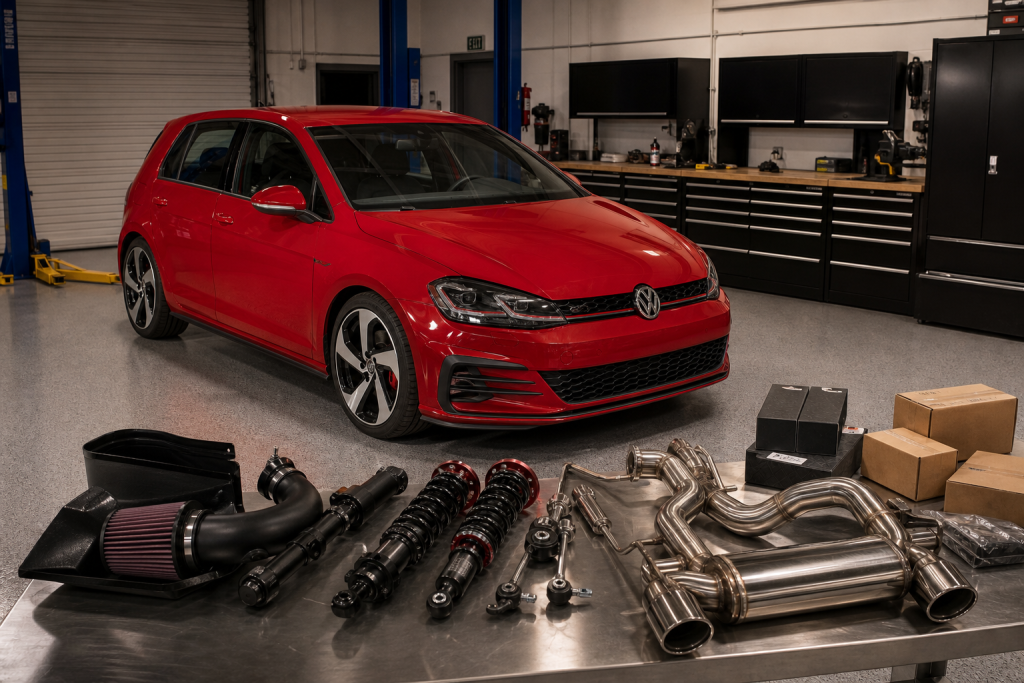
GTI performance parts fall into two categories that look similar on a spec sheet. Each carries notably different implications for fitment, calibration, and warranty coverage. A VW GTI owner evaluating an intake, suspension component, or exhaust is making a decision that goes beyond part price and installation cost. Understanding these categories helps Jacksonville GTI owners choose modifications that hold up technically and avoid unnecessary coverage risk. This breakdown covers how each category works, what the law says, and what the ECU tuning question involves. 

What OEM GTI Performance Parts Are and How They Differ From Dealer Accessories 

OEM GTI performance parts are components engineered by Volkswagen or its approved suppliers to the same tolerance standards as factory equipment. They interact with the GTI's EA888 turbocharged engine, its fuel delivery mapping, and its suspension geometry without requiring recalibration of adjacent components. An OEM intake, for instance, flows air at a rate the ECU's fuel trim tables already account for. Fitment is precise. It is built to a specific dimensional and flow specification. 

Dealer accessories occupy a different category. VW R-Line accessories are styling components approved for installation by VW. They carry warranty coverage when installed by a VW dealer following the approved installation procedure. However, most R-Line components are not output-oriented. They address visual and comfort modifications rather than engine output, suspension tuning, or exhaust flow. Conflating R-Line accessories with OEM parts leads to incorrect coverage assumptions. The following points clarify how the two categories differ at the installation level. 

  • OEM performance parts are engineered to factory tolerance and interact with existing ECU calibration without modification. They are sourced through VW's parts supply chain and carry the same warranty coverage as original equipment when installed correctly. 
  • Dealer accessories are VW-approved for cosmetic or comfort modification and carry installation warranty when installed by an authorized VW dealer. They do not calibrate to engine output parameters and do not substitute for output-oriented OEM components. 

Knowing which category a part falls into before purchase clarifies which warranty protections apply and what recalibration the installation may require. 

How Aftermarket GTI Parts Differ in Fitment and What That Means Mechanically 

Aftermarket GTI parts are produced by third-party manufacturers to their own dimensional and material specifications. Quality varies widely across the aftermarket segment. A well-engineered aftermarket intake from a reputable manufacturer may flow air within acceptable range of OEM specification. A lower-quality product may introduce fitment gaps, seal failures, or flow irregularities that create secondary problems beyond the part itself. 

Fitment tolerance is the core technical distinction. An OEM intake seats against the throttle body and airbox connection points to a precise dimensional standard. An aftermarket intake that is slightly off-dimension creates an air leak at the connection point. That leak introduces unmeasured air into the intake tract. The GTI's ECU reads mass airflow from the MAF sensor upstream of the leak. Unmeasured air downstream of the sensor causes a lean fuel trim condition. That lean condition places additional load on the turbocharger and raises combustion temperature. So a fitment gap that seems minor at installation creates a chain of secondary effects across connected components. 

Suspension components carry the same risk. An aftermarket strut mount or control arm bushing that does not seat to OEM geometry shifts the factory suspension geometry. However, that shift may not be immediately visible without a post-installation geometry check. A GTI on out-of-specification geometry will show accelerated tire wear, steering feedback changes, and handling that diverges from factory calibration. The part itself may have seemed to fit during installation. But the deviation it introduced compounds across every mile driven after the install. 

What the Magnuson-Moss Warranty Act Covers for GTI Owners 

The Magnuson-Moss Warranty Act governs written warranties on consumer products in the United States. It prohibits manufacturers from voiding a warranty solely because the owner used aftermarket parts. However, that protection is narrower than most GTI owners assume. The law does not guarantee that a modified GTI will receive warranty coverage on all claims. It shifts the burden of proof to the manufacturer to demonstrate that the aftermarket part caused the failure in question. 

That burden-of-proof standard is the critical detail. If a GTI owner installs an aftermarket intake and later faces a turbocharger failure, VW can deny the claim by demonstrating that the intake contributed to the failure. The lean fuel trim condition from a poorly fitting intake creates exactly the causal chain a warranty evaluator can follow. So Magnuson-Moss does not protect a GTI owner from a denial. It requires the manufacturer to justify the denial with evidence of causation. 

The law also does not apply to modifications that VW specifically excludes in writing within the warranty terms. ECU tuning is one such category in most manufacturer warranty agreements. A software modification that rewrites boost targets, fuel tables, and ignition timing falls outside the bolt-on hardware protection Magnuson-Moss addresses most clearly. In practice, the law protects owners who install quality parts, maintain documentation, and can show the modification did not causally connect to the failure. 

Why Does ECU Tuning Carry a Different Warranty Risk Than Bolt-On Parts? 

A bolt-on part modifies one system at a time. An aftermarket intake changes airflow. An aftermarket exhaust changes backpressure. Each modification is discrete and its effect on adjacent components is bounded. An ECU tune operates differently. It rewrites the operating parameters the entire powertrain runs against simultaneously. Boost pressure targets, fuel delivery maps, ignition timing curves, and torque limiters all change in a single software modification. 

The GTI's EA888 engine is turbocharged and direct-injection. Those two characteristics make it particularly sensitive to ECU calibration changes. A boost increase from a stage one tune raises load on the turbocharger bearings, increases combustion temperature, and demands more from the intercooler. Without supporting hardware changes, those increased demands run against components calibrated for factory boost levels. Turbocharger bearing wear, piston ring stress, and intercooler saturation are not immediate failures. However, they develop faster under elevated boost than under factory calibration. 

Furthermore, most current VW GTI ECUs log modification history. A dealership technician running a diagnostic scan can identify whether the ECU has been flashed to a non-factory calibration. That log entry changes the warranty evaluation conversation before the verbal discussion begins. A bolt-on modification does not leave the same diagnostic trail. So from a warranty standpoint, ECU tuning and bolt-on hardware modifications occupy different risk categories even on the same vehicle. 

What GTI Owners Should Know Before Modifying at Tom Bush Volkswagen 

GTI modifications are not inherently warranty-ending decisions. The risk level varies by modification type, part quality, and how well the owner documents what was installed and when. A GTI owner who installs a quality component, maintains the original part, and keeps installation records is in a far stronger position for any future warranty conversation. Several steps apply before any modification begins. 

  • Photograph the factory component and surrounding area before removal. Record the mileage, date, and installer name at the time of installation. Keep the original part in the event the modification needs to be reversed for a warranty claim evaluation. 
  • Confirm the part specification against the GTI's model year and build. A part listed as compatible may carry dimensional tolerances that vary by production year. Confirming specification before installation prevents fitment surprises that are difficult to diagnose after the fact. 
  • Ask Tom Bush Volkswagen about dealer-installed accessory options before sourcing aftermarket components. Some upgrades are available as VW-approved accessories with defined warranty coverage when installed by the Tom Bush Volkswagen service team. 

The GTI was built with enthusiast ownership in mind. VW's own accessory catalog reflects that. Navigating modifications with an understanding of fitment, warranty law, and ECU sensitivity lets Jacksonville GTI owners enhance the car without unnecessary coverage risk. The Tom Bush Volkswagen team can identify which upgrades carry the lowest risk and which require careful evaluation before proceeding. 

Posted in:

Related Posts

Volkswagen Golf GTI vs Golf R

Volkswagen Golf GTI vs Golf R Comparison Guide 2026

Volkswagen Golf GTI vs Golf R decisions start with two hatchbacks that share a basic shape but use very different drivetrains. The GTI sends power through the front wheels, while the Golf R uses 4MOTION all wheel drive. Both use a turbocharged 2.0 liter engine and a seven speed DSG transmission. However, output, traction hardware, price, and cabin equipment create two distinct choices. Engine Output and Acceleration The Golf GTI produces 241 horsepower and 273 pound feet of torque. The Golf R raises output to 328 horsepower and 295 pound feet of torque. Therefore, the Golf R carries 87 more horsepower before drivetrain differences enter the comparison. How much quicker is the Golf R? Volkswagen lists a 4.4 second zero to 60 mph time for the Golf R. Volkswagen lists 6.0 seconds for the Golf GTI. The gap comes from more engine output plus 4MOTION traction. Both models use the same basic engine family. Still, tuning and supporting hardware change the output target. The GTI keeps the formula simple with front wheel drive and a lighter entry price. The Golf R adds more power plus hardware that can send torque across both axles. more That matters most when power demand rises quickly. A front driven layout asks the front tires to steer and transmit engine torque. By contrast, 4MOTION can distribute torque across four driven wheels. The Golf R can therefore use more of its output during hard acceleration. Neither model needs a spec sheet to feel distinct on a test drive. The GTI delivers quick response with less drivetrain hardware. The Golf R delivers stronger acceleration and more launch traction. Therefore, compare both from a stop and during highway merging. How Does 4MOTION Change the Golf R? 4MOTION changes how the Golf R sends torque to the road. The setup can route power between the front and rear axles. It also uses rear axle torque vectoring to vary torque across the rear wheels. What does that change from the driver's seat? The Golf R can distribute engine torque beyond the front axle. That changes traction during acceleration and corner exit. It also changes how the car responds when the pavement is wet. The Golf GTI uses front wheel drive. Therefore, its front tires handle steering plus drive torque. Volkswagen tunes the GTI chassis around that layout. The result keeps the car direct and simple without the extra all wheel drive hardware. The Golf R adds another layer. Its rear axle hardware can direct more torque toward one rear wheel when needed. That can sharpen rotation during cornering. It can also reduce how much work the front tires must handle under power. For Jacksonville roads, rain gives this comparison a useful local context. Wet pavement reduces available tire grip. Therefore, torque distribution can change how each car puts power down during acceleration. Still, all wheel drive does not replace careful driving. Tire quality, tread depth, road surface, and speed remain central to traction. For that reason, compare tire setup and tread along with drivetrain type. A test drive should include normal turns, moderate acceleration, and highway merging. Those moments reveal more than a straight line launch. They show how each drivetrain responds during the kind of driving you will repeat. Daily Driving, Ride, and Fuel Use The Golf GTI and Golf R share the same compact hatchback format. That means both fit similar parking spaces and carry similar passenger loads. However, their chassis settings, wheels, fuel use, and starting prices shape daily ownership differently. Is the Golf GTI easier to justify for commuting? Its lower starting MSRP and higher EPA estimates reduce the daily cost gap. Volkswagen lists the GTI at 24 mpg city, 32 highway, and 27 combined. The Golf R uses more fuel. Current EPA figures list 22 mpg city, 31 highway, and 25 combined. Therefore, shoppers who drive many miles may notice the difference across a year. Ride tuning also deserves attention. The GTI offers available DCC Adaptive Chassis Control on selected trims. The Golf R includes chassis hardware tuned around its higher output and 4MOTION layout. Wheel and tire choices matter here too. Larger wheels can change ride feel over broken pavement. Tire selection also changes grip, road noise, and steering response. Therefore, compare the exact cars in stock instead of relying only on trim names. For city travel, the GTI may feel simpler because less drivetrain hardware sits beneath the car. The Golf R brings more traction hardware and more output. Still, both remain compact hatchbacks with similar outward dimensions. Highway driving reveals another contrast. The GTI reaches merging speed with less drama than its entry price might suggest. The Golf R reaches those speeds faster and with stronger traction. Therefore, the real question is how much of that extra response you want every day. Interior, Cargo, and Equipment Cargo room does not separate these two hatchbacks very much. Current U.S. specifications list 19.9 cubic feet behind the rear seats for both. With the rear seats folded, both list 34.5 cubic feet. Does the Golf R give you more cargo room? No. The higher price does not buy a larger hatch area. Therefore, cargo should not drive the decision between these two models. Instead, compare cabin equipment and trim content. The Golf GTI starts lower and offers several trim levels. Upper GTI trims add features that narrow part of the equipment gap. The Golf R starts with a higher standard equipment level. Volkswagen highlights features such as a head up display and Harman Kardon audio. Heated and ventilated front seats also come standard. Leather seating and 19 inch forged wheels add another distinction. Both models use a 12.9 inch center display. Both also include Volkswagen digital driver information and IQ.DRIVE features. Therefore, the cabin comparison should focus on standard content, seating, audio, and trim specific details. A side by side walkaround works well here. Open both hatches and fold the rear seats. Sit in both front seats and compare bolstering. Then check visibility, display layout, and storage placement. That process prevents the higher price from creating false assumptions. The Golf R costs more because of drivetrain, output, chassis hardware, and included equipment. It does not create a larger hatchback. Is the Golf R Worth More Than the Golf GTI? The 2026 Golf GTI starts at $34,590 before destination and other charges. The 2026 Golf R starts at $49,455. That creates a $14,865 difference before taxes, fees, options, or dealer pricing. What are you paying for when you move to the Golf R? You gain 87 horsepower, 4MOTION, rear torque vectoring, and more standard equipment. You also move into a model with a much higher entry price. The Golf GTI keeps the core hot hatch formula more accessible. It delivers 241 horsepower, front wheel drive, a DSG transmission, and the same basic cargo space. Therefore, it can make more sense when price and fuel use carry more weight. The Golf R makes a different case. It adds more engine output and more complex traction hardware. It also includes equipment that pushes the cabin closer to the top of the Golf range. Neither choice needs to be framed as the wrong answer. The decision depends on what you want to pay for. Compare acceleration, traction, ride, cabin content, and monthly cost before choosing. At Tom Bush Volkswagen, reviewing both models in person makes the differences easier to judge. Start with the GTI if value and simplicity lead your list. Then drive the Golf R if added output and 4MOTION appeal to you. The better fit will become clearer once you compare the hardware, price, and driving feel side by side.

Volkswagen Adaptive Cruise Control and Travel Assist

Volkswagen Adaptive Cruise Control manages a set speed and following gap while you remain responsible for every driving task. Travel Assist adds lane guidance when the equipped Volkswagen supports that feature. For ID.4 shoppers, the distinction becomes clearer during highway travel and slower traffic. Therefore, knowing each feature's role makes a test drive more useful. It also gives owners a stronger starting point when settings or warning messages need attention. Volkswagen Adaptive Cruise Control Operation Volkswagen Adaptive Cruise Control uses forward radar to watch traffic ahead. The feature compares your selected speed with the distance to a detected vehicle. When traffic slows, ACC can reduce speed while maintaining the selected gap. When the lane clears, ACC can accelerate toward the stored speed again. However, ACC does not choose your following gap for you. Volkswagen provides selectable distance levels on equipped models. These settings change how much space ACC tries to maintain behind detected traffic. Therefore, the distance control deserves attention during a test drive. What does Volkswagen Adaptive Cruise Control control after you press SET? It manages the stored speed and adjusts that speed around detected traffic. The driver still steers, watches surrounding traffic, and remains ready to brake. Control layouts vary by model year and steering wheel design. Still, Volkswagen places ACC controls within easy reach on equipped vehicles. SET stores the current speed when the feature is ready. RES can return the vehicle toward a stored speed after an interruption. more In addition, speed adjustment controls let you raise or lower the selected setting. Distance controls change the requested following gap. The instrument display then shows the active mode and related settings. A test drive should include more than pressing one button. First, locate SET, RES, speed controls, and the distance control. Next, watch the instrument display as each setting changes. Finally, ask where the current model stores related assistance settings. Because radar supplies the forward traffic input, the sensor area also deserves a visual check. Dirt, ice, or physical blockage can interfere with detection. Therefore, a warning message should not be ignored when the feature cannot engage. How Does Volkswagen Travel Assist Work With ACC? Travel Assist does not replace Adaptive Cruise Control. It combines ACC speed control with Lane Assist steering support on equipped Volkswagen models. That distinction matters during a test drive. ACC focuses on speed and spacing in the lane ahead. Travel Assist adds steering input to support lane position. Therefore, the two features work together while keeping separate roles. On an equipped Volkswagen, Travel Assist can manage acceleration and braking through ACC. At the same time, Lane Assist can provide steering corrections. However, the driver must continue watching the road and controlling the vehicle. Travel Assist does not turn the Volkswagen into a self driving car. Instead, it supports the driver within defined operating limits. The driver must remain attentive and ready to steer, brake, or accelerate. In addition, lane markings matter for steering support. Faded markings, construction zones, or unclear lane edges can reduce available lane guidance. ACC may remain available even when lane guidance cannot operate. This distinction is worth checking before your test drive ends. Try ACC first so you understand speed and distance controls. Then, where lawful and appropriate, review Travel Assist with the salesperson. Watch which indicators confirm lane guidance and ACC status. If Travel Assist becomes unavailable, note the message shown in the display. Then check whether lane markings are clear and whether the forward sensor area is clean. Persistent warnings should receive a service review. How Does ID.4 ACC Handle Stop and Go Traffic? ID.4 ACC can bring the vehicle to a standstill behind detected traffic. The restart process changes based on how long the vehicle remains stopped. After a short stop, the ID.4 may begin moving again when traffic ahead moves. However, a longer stop may require accelerator input or the RES control. This difference deserves attention during slower traffic. For Jacksonville commuters, that operation can be relevant on crowded highways or busy urban routes. Still, the driver must watch traffic and remain ready to intervene. ACC cannot replace direct attention near merges, intersections, bicycles, or sudden lane changes. The stop and go sequence uses the same basic ACC logic. Radar watches the detected vehicle ahead. The ID.4 then adjusts speed to preserve the selected gap. As traffic slows further, ACC can continue braking until the vehicle stops. When traffic moves again, the feature checks whether restart criteria are met. Therefore, owners should learn the restart prompt and control response before relying on memory. A controlled test drive provides a good place to review that process. In addition, drivers should watch the cluster during each phase. The display communicates whether ACC remains active, paused, or unavailable. Those status changes explain whether the ID.4 will respond automatically or needs driver input. Travel Assist can add lane guidance during compatible ID.4 operation. However, steering support does not remove driver responsibility. Hands, attention, and readiness remain part of every trip. Predictive ACC Uses More Than Forward Radar Some equipped Volkswagen models add predictive ACC functions. Predictive ACC can use road sign information and navigation data alongside forward traffic detection. Therefore, speed changes may reflect road information beyond the vehicle directly ahead. Why might an equipped Volkswagen slow before a curve or intersection? Predictive ACC can prepare for certain road features using available map and sign data. That response differs from basic radar based traffic tracking. Dynamic Road Sign Display can provide recognized speed limit information. Navigation data can provide route details such as curves, roundabouts, intersections, or turn points. Together, these inputs can shape how predictive ACC responds. However, predictive functions require the correct equipment and active settings. Model year, trim, software, and navigation equipment can change what appears in the menu. Therefore, shoppers should verify the exact feature set on the vehicle they test. A useful test drive should include a review of the assistance menu. Ask which predictive settings are active. Then check the cluster for speed related prompts or route based responses. Because predictive ACC uses several information sources, the driver should not assume every detected sign will control vehicle speed. Road signs can be obscured or misread. Navigation data can also differ from current road layouts. For this reason, the selected speed still requires driver attention. The driver must confirm that any speed change fits the road ahead. Predictive ACC supports speed management, but the driver remains responsible for every decision. Driver Supervision and Pre Drive Checks Volkswagen Travel Assist and ACC support driving tasks, but neither removes driver responsibility. Before using either feature, confirm the controls, dashboard status, and sensor area. Therefore, a short review can prevent confusion once the vehicle starts moving. Start by checking the steering wheel controls. Confirm where SET, RES, speed adjustment, and distance controls are located. Then review how Travel Assist activates on the specific Volkswagen. Next, check the instrument display before moving. Look for the ACC status, selected speed, following gap, and lane guidance indicators. In addition, note any warning icon or unavailable message. The forward radar area should also be free of visible blockage. Snow, ice, dirt, or damage can interfere with forward detection. If a warning remains after the area is clear, schedule a service inspection. A test drive also gives you time to compare control feel. Review whether the selected following gap suits your preferred spacing. Then confirm that ACC pauses and Travel Assist indicators are easy to recognize. However, avoid learning these controls for the first time in dense traffic. Review them while parked before entering faster roads. Then make small setting changes only when traffic permits. Owners should follow the same approach after software updates or service visits. Settings may need another review if the menu looks different. Therefore, checking the cluster and assistance menu can restore familiarity before the next trip. Tom Bush Volkswagen can also walk you through available ACC and Travel Assist controls during a test drive. If warning messages persist, the service team can inspect related sensors and components. That path keeps feature questions separate from mechanical diagnosis. Volkswagen Adaptive Cruise Control and Travel Assist work best when you know what each feature handles. ACC manages speed and spacing, while Travel Assist adds lane guidance. The ID.4 also brings stop and go operation into the discussion. With that in mind, review every control before leaving the dealership or service drive. A clear setup makes each feature easier to use with the attention Volkswagen still requires.

Volkswagen Apple CarPlay Android Auto

Volkswagen Apple CarPlay and Android Auto Setup Guide

Volkswagen Apple CarPlay and Android Auto connect compatible phone tools through the vehicle’s App Connect interface. The connection may use a USB data cable or wireless pairing. However, the available method varies by model year, trim, radio, and installed equipment. App Connect places selected phone apps on the center screen. Therefore, you can reach maps, music, calls, messages, and voice commands through familiar menus. The phone still runs those apps and supplies their data. The Volkswagen screen provides a safer control point while you drive. Before setup, confirm that your phone and exact Volkswagen support the desired connection. Also, install current phone software and review the owner guide for your model year. These steps reduce pairing errors caused by outdated instructions or unsupported equipment. How Do You Connect Apple CarPlay or Android Auto? A wired connection starts with a compatible USB data cable. A cable may charge a phone without carrying the data needed for App Connect. Therefore, use a trusted cable and the USB port assigned to smartphone projection. For wired Apple CarPlay, start the Volkswagen and unlock the iPhone. Then, connect the phone through the supported USB port. Approve the CarPlay prompts on the phone and center screen. Siri must also remain active for full voice control. For wired Android Auto, unlock the phone and connect it through the supported USB port. Next, approve the Android Auto prompts and requested permissions. The App Connect menu should open after the phone and Volkswagen complete their connection. A wireless connection begins through Bluetooth pairing. Wi Fi must also remain active because it carries the larger wireless data connection. Therefore, a phone may handle Bluetooth calls without opening Apple CarPlay or Android Auto. Use these checks during first time wireless setup: more Turn on Bluetooth and Wi Fi before opening the Volkswagen phone menu. Pair the phone through the center screen and approve matching codes on both devices. Select Apple CarPlay or Android Auto when the Volkswagen presents that choice. Accept the requested permissions for contacts, audio, messages, and future connections. Leave Wi Fi active after pairing so App Connect can maintain its data link. Saved phones may reconnect after later startups. However, another stored phone may connect first when several devices enter the Volkswagen together. Why Is Volkswagen App Connect Not Working? Connection trouble may begin with the phone, cable, USB port, saved pairing, or center screen. Therefore, work through one area at a time. Changing several items together can hide the original cause. First, confirm that the exact Volkswagen supports the selected wired or wireless method. A USB port does not always support smartphone data. Likewise, wireless access on one trim does not prove that another trim includes it. Next, inspect the cable and phone port. Replace damaged cables and remove lint from the phone connection carefully. Then, try another approved data cable. Charging without App Connect can point toward the cable, port, permissions, or vehicle compatibility. For wireless trouble, check Bluetooth and Wi Fi on the phone. Also, confirm that the phone permits CarPlay or Android Auto access. Apple users should verify Siri access. Android users should confirm Android Auto access within phone settings. These steps can restore a failed connection: Restart the phone and turn the Volkswagen off before starting another pairing attempt. Remove the Volkswagen from the phone’s saved vehicle list. Delete the phone from the Volkswagen Bluetooth and App Connect menus. Pair both devices again and approve every requested connection prompt. Test a wired connection when wireless pairing still fails. Persistent disconnections may also follow phone software or infotainment software changes. Therefore, note when the trouble began and whether another compatible phone connects. That comparison can show whether the concern follows one phone or remains with the Volkswagen. App Connect, Car Net, and Digital Cockpit Differences App Connect, Car Net, and Digital Cockpit handle separate tasks. Their names may appear near each other, yet one does not replace another. App Connect displays supported phone apps through Apple CarPlay or Android Auto. It focuses on navigation, audio, communication, and approved phone content. Therefore, it needs a compatible phone connection. Car Net works through eligible connected services and the myVW app. Available tools may include remote commands, vehicle alerts, and safety support. Service access varies by vehicle, equipment, account, and active plan. Digital Cockpit presents information in the display behind the steering wheel. It may show speed, driving data, navigation details, and other vehicle information. Its menus and display choices vary across Volkswagen models. A phone can use Apple CarPlay without making every Car Net tool active. Likewise, Digital Cockpit does not display every phone app. Each technology has its own role within the Volkswagen cabin. When a connection question involves one of these tools, identify the exact screen and task first. That detail leads to the right owner guide and avoids resetting an unrelated connection. What Should You Review During a Volkswagen Test Drive? A technology focused test drive should use the phone you carry each day. Bring a trusted data cable even when you want wireless access. This gives you another connection method during the visit. Pair the phone before leaving the dealership lot. Then, open maps, play audio, place a voice command, and check message access. In addition, test the charging location and confirm which USB ports carry smartphone data. Review these items in the exact Volkswagen: Confirm whether Apple CarPlay or Android Auto connects through a cable, wireless pairing, or both. Check whether the screen responds clearly while maps and audio run together. Test steering wheel controls and voice commands with your phone. Review the Digital Cockpit alongside the center screen during navigation. Confirm that your phone fits the charging area without blocking nearby controls. Ask which App Connect equipment belongs to that exact trim and model year. Do not rely on a similar vehicle or a broad model description. Installed technology can change across trims, production dates, and model years. Therefore, test the exact Volkswagen you may choose. Volkswagen Inventory and Connection Help in Jacksonville Readers researching a new Volkswagen can compare available models through Tom Bush Volkswagen in Jacksonville. The inventory route should lead to current vehicles instead of one temporary listing. Therefore, readers can review trim details and confirm App Connect equipment before a test drive. Owners with connection trouble need a separate path. Basic cable, pairing, and restart checks may resolve a simple issue. However, repeated faults may need a closer review of the phone, USB port, center screen, or Volkswagen software. Bring the phone and cable when requesting connection help. Also, note the phone model, software version, connection method, and exact error message. Those details give the service team a clearer starting point. Volkswagen Apple CarPlay and Android Auto work best when the phone, cable, permissions, and installed equipment match. Start with the correct connection method. Then, test each layer in order before seeking further help.